 zadao.ai
How To Offer or Accept Gig Onchain
Gig Request, Gig Accept, & Gig Complete
In short
Send a gig offer (Fixed or Milestone) from a creator's profile, accept offers sent to you, and check pending requests you sent. Each action needs a connected wallet and a signed transaction.
Procedure
Step 1 - Connect Wallet.
Step 2 - Sign Transaction.
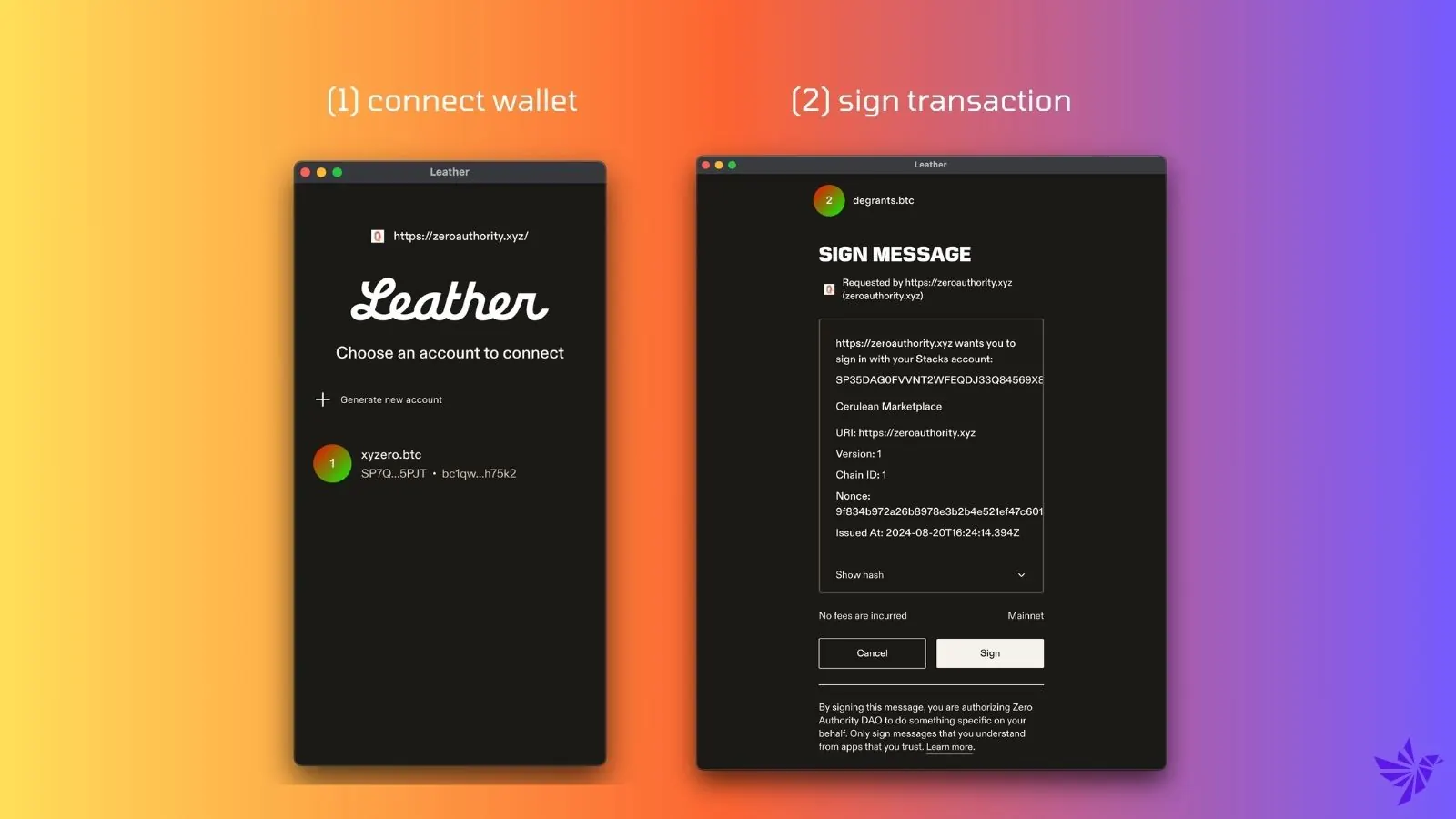
Connecting your wallet and signing works as described in Access to the Platform, which also covers troubleshooting.
Making a Gig Request Offer:
- Follow Steps 1 and 2 to make an offer to someone for a gig. Go to website and click offer or navigate to a profile page and click "offer"
- Select Fixed or Milestone
Accepting a Gig Request:
- Pending offers submitted to you to collaborate
- Follow Steps 1 and 2 to accept a gig request from someone else.
- Go to website to view the offer and accept offer
Waiting for someone to accept your gig request or mark gig complete?
- Pending work requests you sent to collaborate
- Follow Steps 1 and 2.
- Go to website and view the pending request you sent