 zadao.ai
Access to the Platform
To ensure you get access to features and solutions
In short
Sign in by connecting your wallet and signing a transaction, then edit your profile. Covers troubleshooting and VPN options for regions where the site is blocked.
Procedure
Step 1 - Connect Wallet.
Step 2 - Sign Transaction.
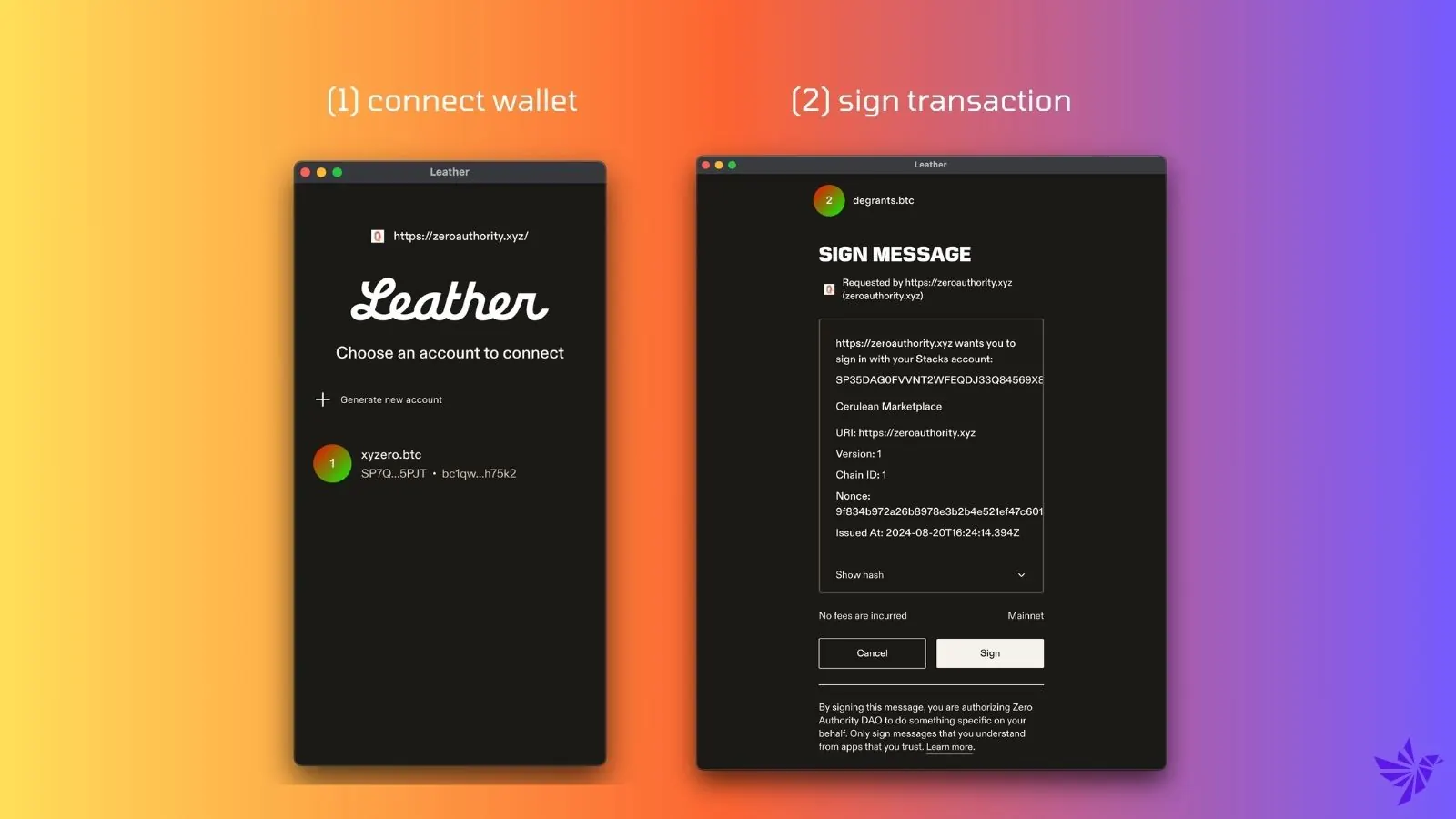
Step 1: Connect your wallet.
- Ensure your wallet is properly connected to the platform.
Step 2: Sign the transaction.
- Once connected, sign the transaction to confirm your action.
Profile Edit Confirmation:
- If you've completed the steps correctly, you'll be able to edit your profile. Go to website.
Troubleshooting:
- If you encounter any issues:
- Disconnect your wallet and log out of the platform.
- Clear your browser's cache.
- Reconnect your wallet and repeat Steps 1 and 2.
VPN Required for certain countries
- If you encounter issue with access to the website and cannot visit:
- You are in a geographic region or county where we are getting blocked
- Recommended free software for chrome
- Free VPN for Chrome - VPN Proxy VeePN https://chromewebstore.google.com/detail/free-vpn-for-chrome-vpn-p/majdfhpaihoncoakbjgbdhglocklcgno
- Touch VPN - Secure and unlimited VPN proxy https://chromewebstore.google.com/detail/touch-vpn-secure-and-unli/bihmplhobchoageeokmgbdihknkjbknd
- Browsec VPN - Free VPN for Chrome https://chromewebstore.google.com/detail/browsec-vpn-free-vpn-for/omghfjlpggmjjaagoclmmobgdodcjboh