 zadao.ai
How to create a bounty V1
Procedure for Creating and Posting a Bounty on Zero Authority
In short
Older version: create a bounty with name, description, dates and STX amount, set up its profile page, post it, then select the winner and accept onchain to release the funds.
Step 1: Access the Bounty Creation Page
- Go to page.
Step 2: Start Creating the Bounty
- Click on "Create Bounty" to begin the process.
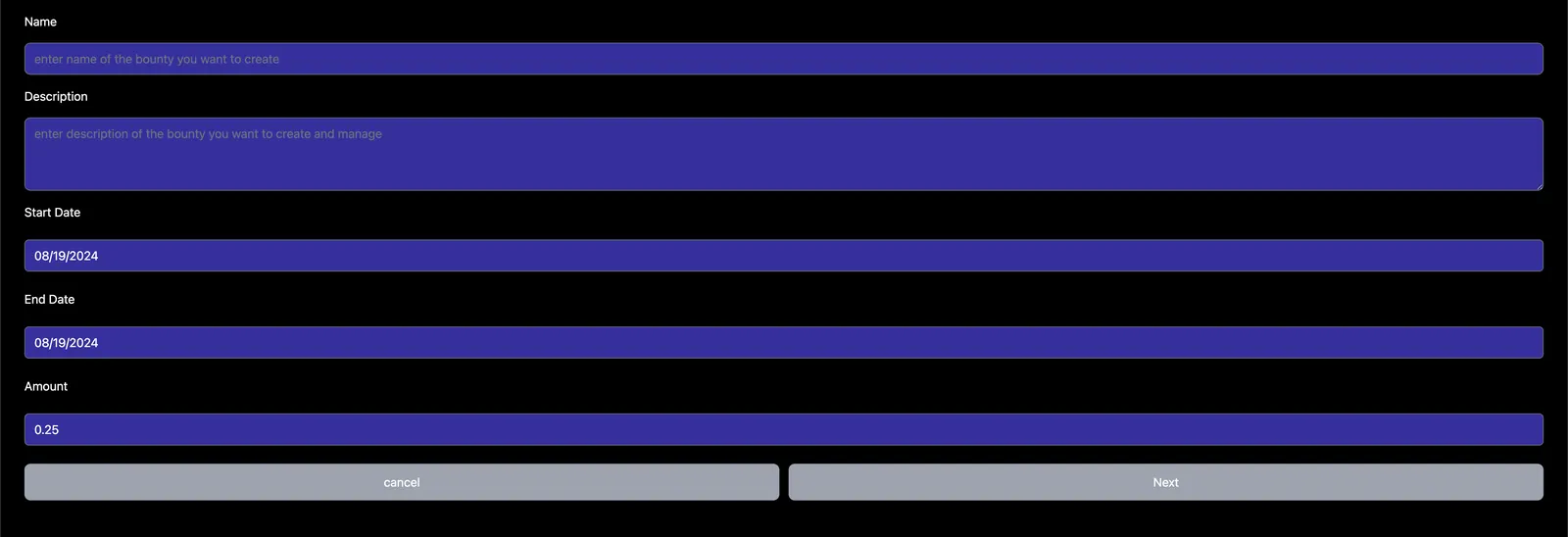
step 3
Step 3: Enter Bounty Details (First Page)
- Name
- Enter the name of the bounty (e.g., "Educational Content").
- Description
- Write a brief description of the bounty. Example: "Develop a series of educational content. Tag us on Twitter and in the submission. Be prepared to add the URL of your tweet."
- Start Date
- Set the start date for when you are ready to begin the bounty.
- End Date
- Set the end date, typically 2-4 weeks after the start date.
- Amount
- Enter the amount to be awarded for completing the bounty, in $STX.
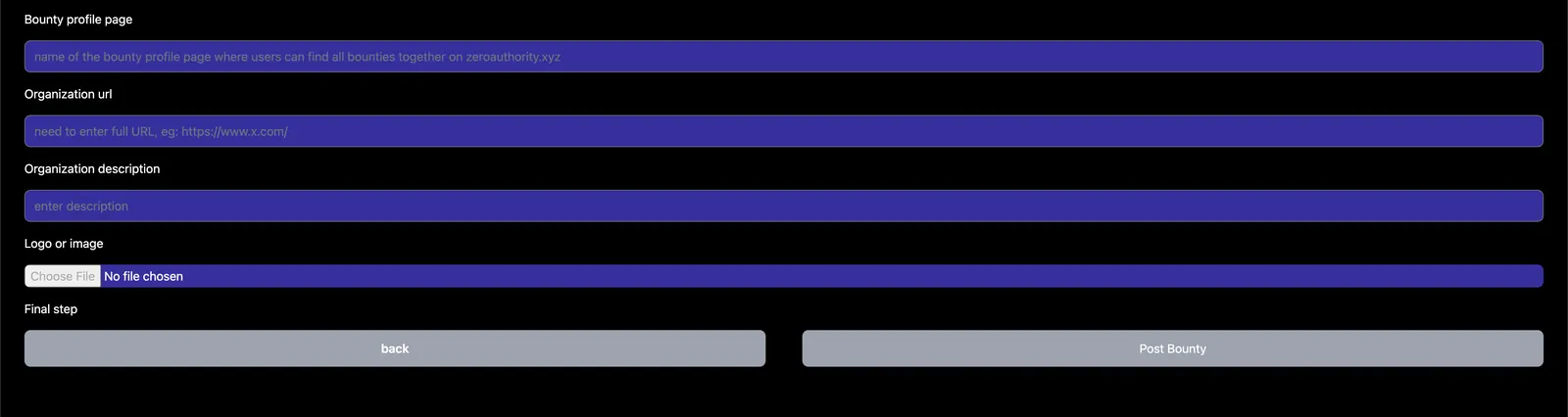
step 4
Step 4: Set Up the Bounty Profile Page (Second Page)
- Bounty Profile Page
- Enter a one-word identifier for your bounty profile page (no spaces).
- Organization URL
- Provide the full URL of your organization (e.g., "https://www.stacks.co").
- Organization Description
- Write a description of your organization.
- Logo or Image
- Upload an image or logo to represent your organization on the bounty profile page.
Final Steps of Step 4 Posting Bounty
- Review all the information entered for accuracy.
- Submit the bounty for posting on Zero Authority.
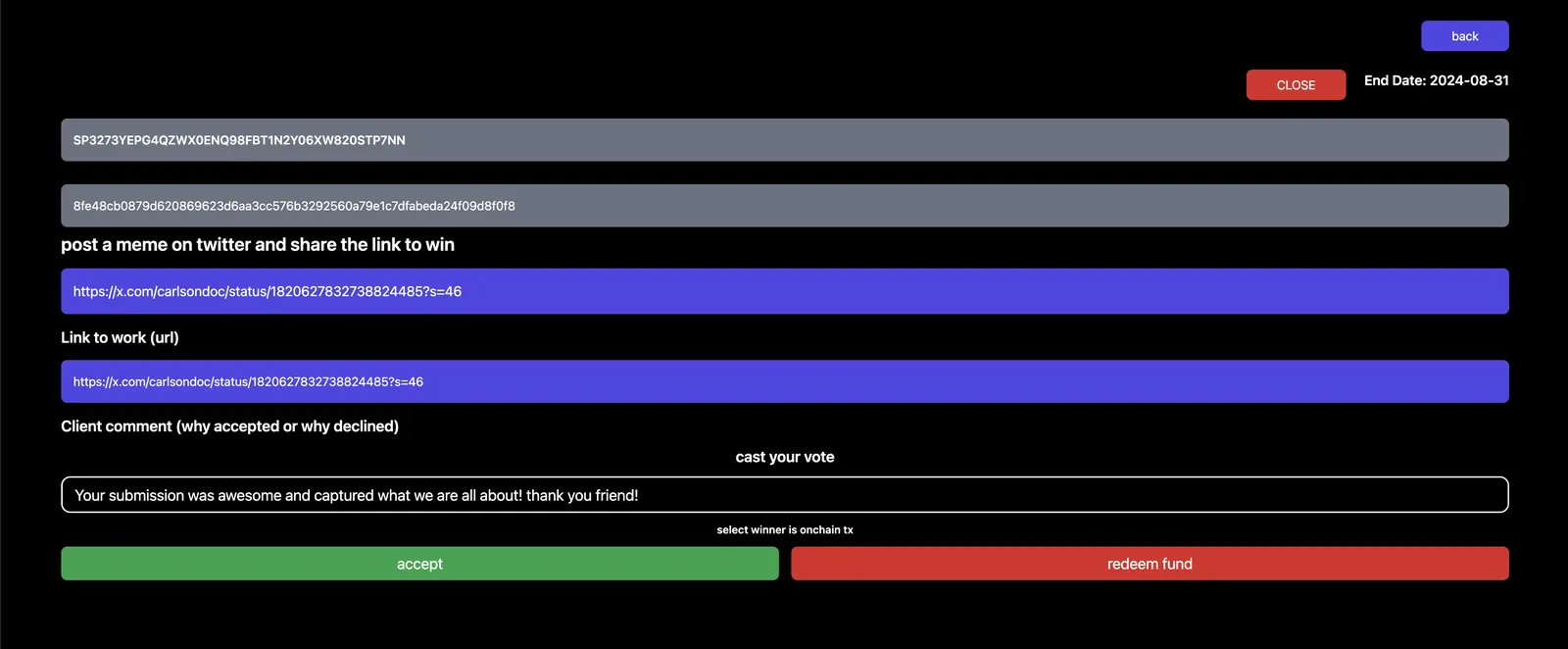
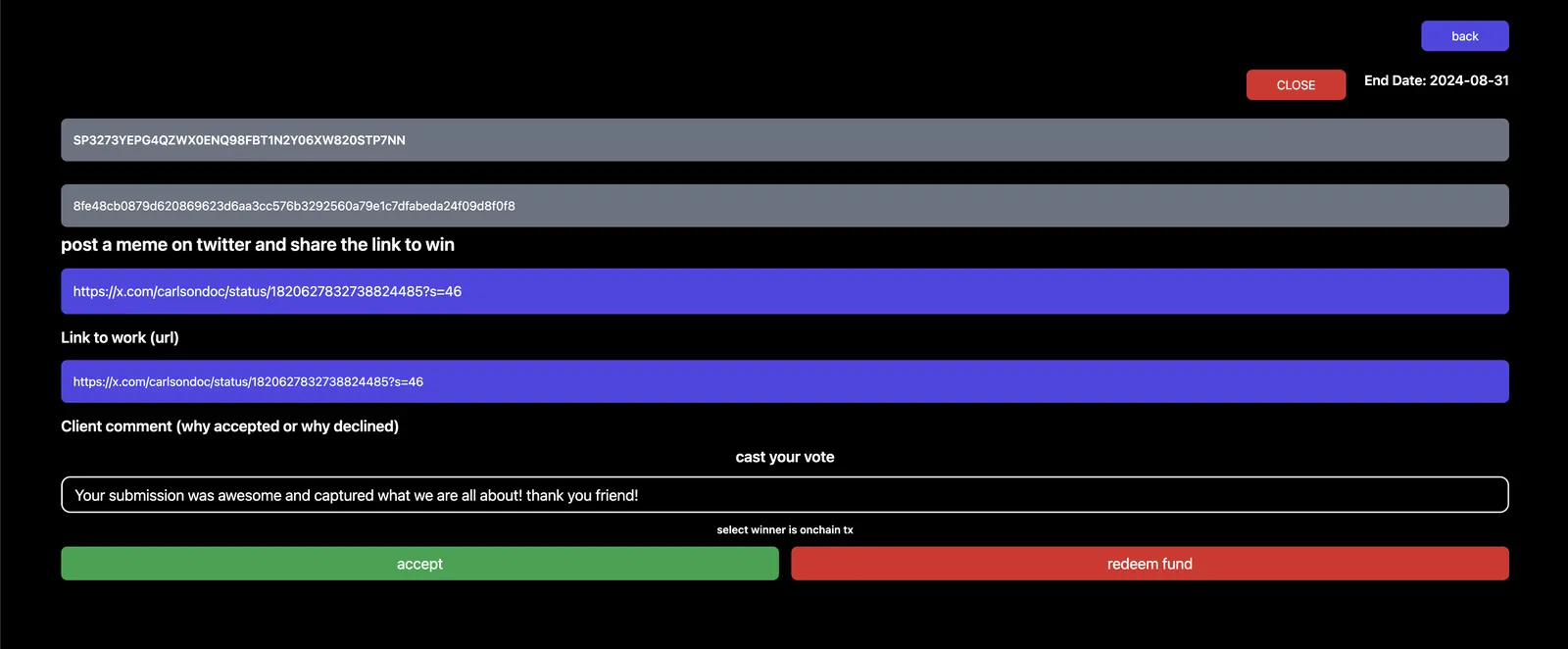
Last Step: Select Winner !
- Review all the information for all of the bounties posted
- Write a message to the winner
- Click on "accept" and complete transaction onchain
- The smart contract will release the funds to the winner
- done!
Coming soon at the time of v1: all participants and the creator of the bounty earn reputation represented with an NFT badge, and v2 adds more types of bounties to launch and participate in.
Thank you
- email notification will go to winner and all participants
- you have activated & engaged your community.
- please leave us feedback on twitter DM or email our community manager