 zadao.ai
CAB Administration Guide
Last update May 1, 2026
In short
CAB admins create groups and manage members. Super Admins open and close voting on a SIP, and results are tallied into CSV and Markdown files.
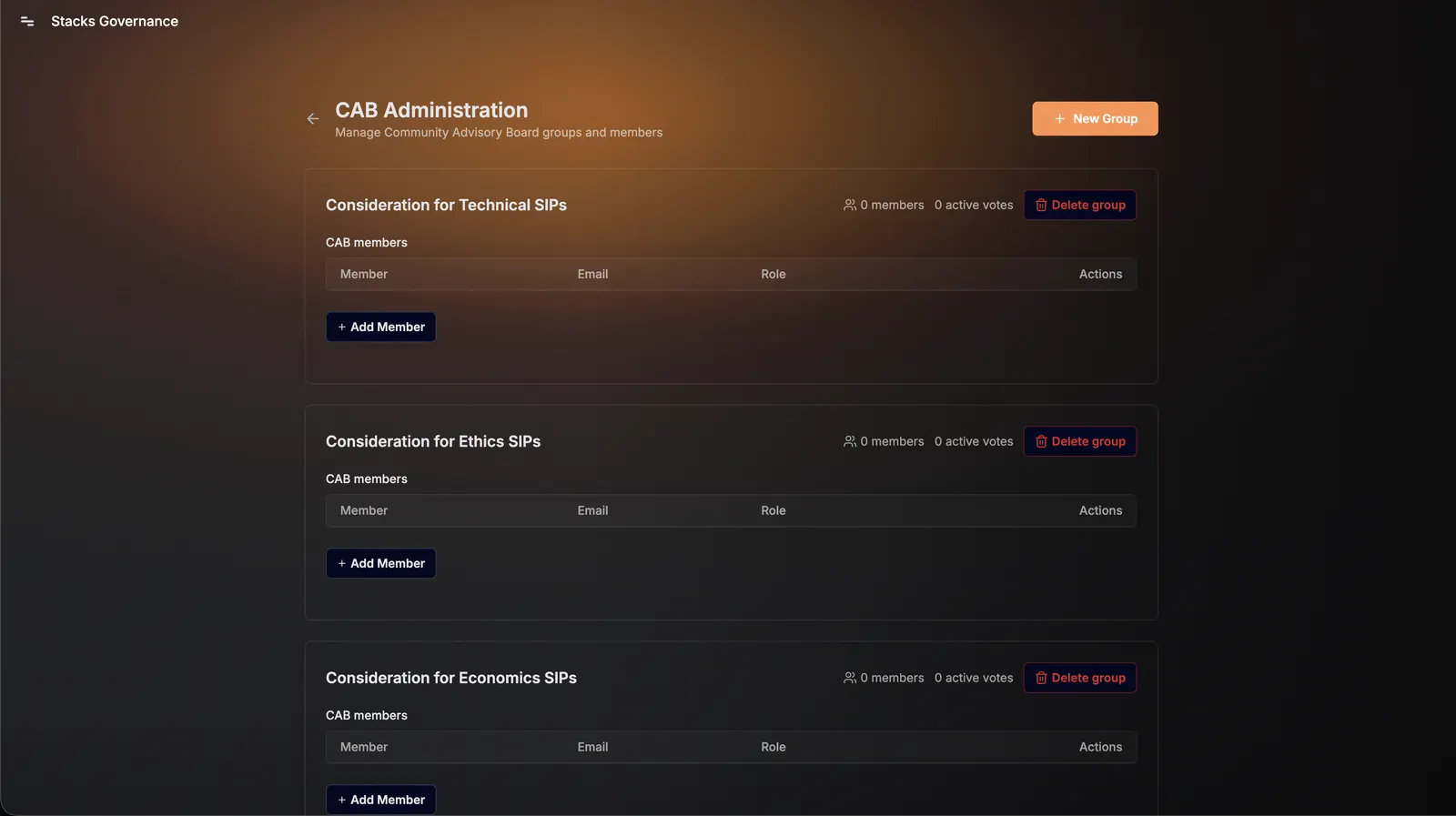
CAB Administration Guide
Creating a Group
If you are a CAB Admin, you have permission to create a new group.
- Click “+ New Group”
- Define the group’s purpose (e.g., Technical, Ethics, Economics)
- Add initial members and assign roles
Roles within the CAB Structure
1. CAB Super Admin
- Oversees the entire CAB system
- Can initiate voting on any SIP
- Can close voting once complete
- Responsible for final output (CSV + Markdown)
2. CAB Group Admin
- Manages a specific CAB group
- Adds/removes members
- Organizes group participation
- Ensures members are ready for voting
3. CAB Group Member
- Participates in SIP review
- Casts votes when voting is active
- Receives notifications and updates
SIP Voting Process
- SIP Ready for Review
- A SIP reaches the CAB voting stage
- Vote Initiated
- A Super Admin initiates voting from the SIP ID page
- Notifications Sent
- Members are notified via NOVA AI (if configured)
- Includes direct link to the SIP ID page
- Voting
- Members cast votes directly on the SIP page
- Vote Completion
- Once all members have voted, a Super Admin closes voting
- Results Generated
- Votes are automatically tallied
- Two files are created:
- CSV (raw data)
- Markdown (formatted summary)
- Publishing
- Files can be uploaded to GitHub or attached to the SIP